


On top of keeping 99% of payouts on every order, Lalamove Driver Partners have plenty of opportunities to increase their earnings. Lalamove regularly offers in-app Missions that Drivers can accept to earn cash bonuses. That means by completing Missions, Drivers can unlock bonus rewards on orders they already planned to deliver.
This guide walks you through what Driver Missions are, where to find them, and how to complete them successfully so you can take advantage of extra earning opportunities.
Where can I find Driver Partner Missions?
To find Driver Partner Missions, just open the Driver App and tap on the Mission tab.
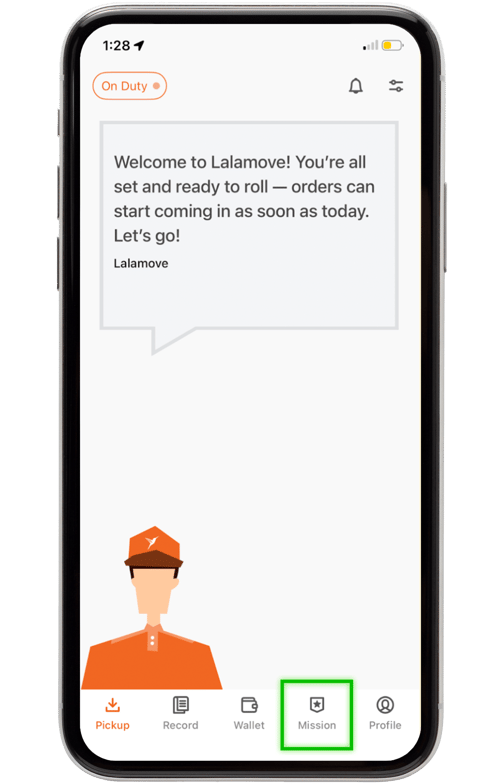
Step 1: See Available Missions
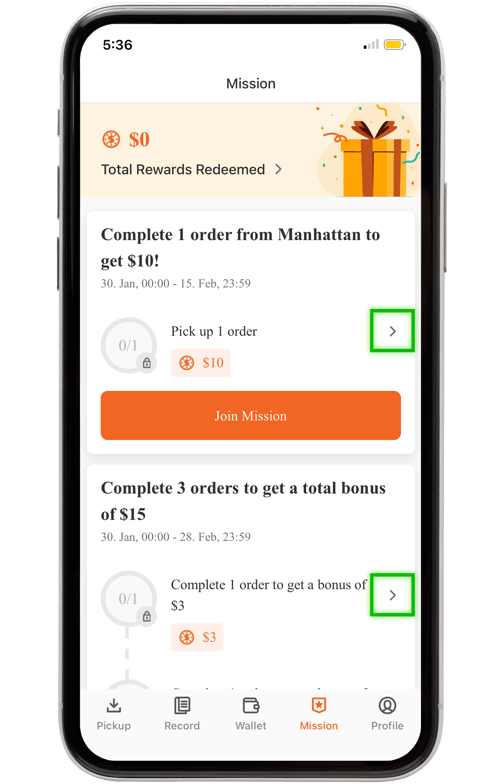
In the Mission tab, you can see all the available Missions. Alongside each Mission are its requirement details, bonus payout amount, start date, and end date. If you want to join the Mission, tap “Join Mission.”
For a closer look, tap the arrow on the right to open the Mission’s Milestone Details screen.
Step 2: Review Milestone Details
Before accepting a Mission, it’s important to review its full details to ensure you qualify for the bonus. Some Missions have additional information, location-based rules, or maps that are only visible on the Milestone Details screen.
For example, the image below shows a Mission that rewards Driver Partners who complete a delivery in Manhattan. This screen includes a highlighted map of Manhattan to indicate where Drivers must complete the delivery to qualify for the bonus.
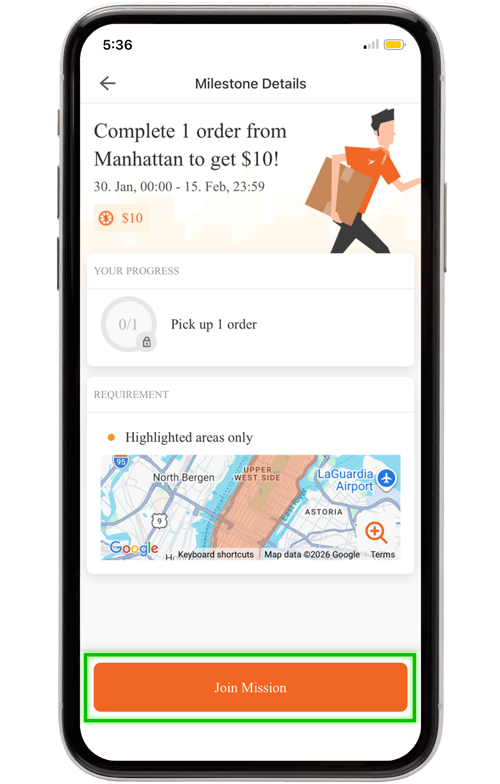
You can also join the Mission directly from this screen by tapping “Join Mission.”
Step 3: Confirm Mission
After tapping “Join Mission,” confirm your participation by tapping “Got It” in the pop-up.
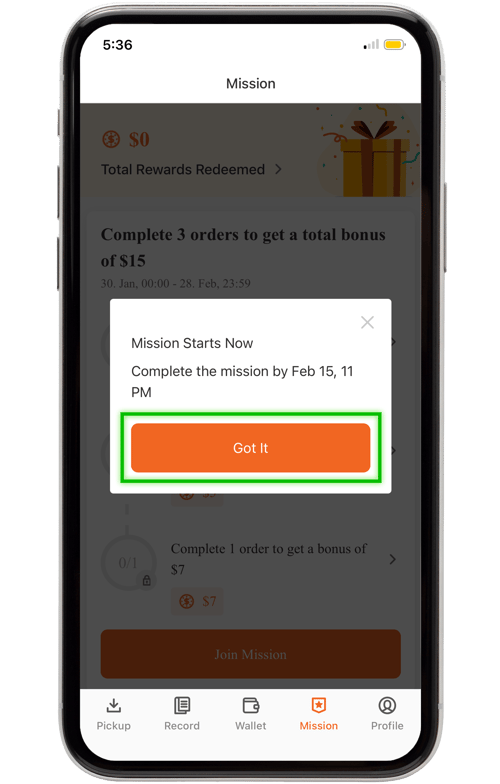
Now you’re ready to fulfill the Mission! You can review the Mission details any time in the “Mission” tab. Just be sure to complete the Mission before its end date to earn your reward.
Step 4: Complete the Mission
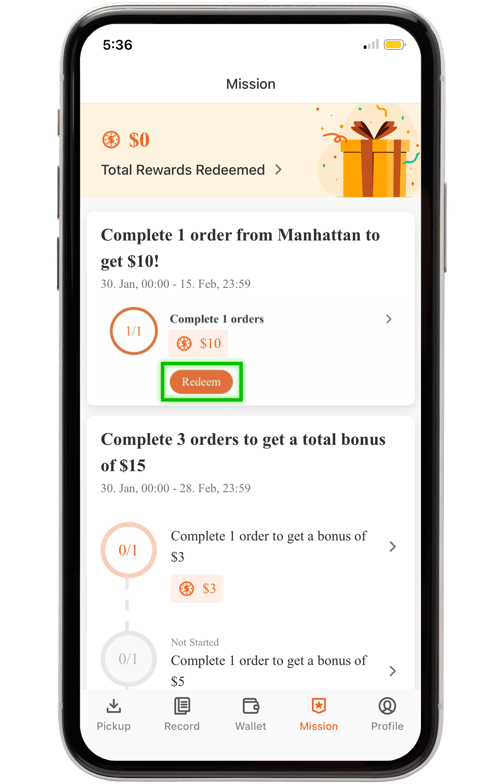
When you meet the Mission requirement, the app will automatically update.
To receive your bonus cash, Tap “Redeem.” The Mission earnings will be added to your Wallet.
Driver Mission Tips
Before accepting your first Mission, keep these tips in mind:
-
Remember to tap “Join Mission” first. Orders completed before officially joining Missions do not count toward the bonus.
-
Review the full Mission details to ensure you can meet all requirements.
-
Double-check the Mission end date so you don’t miss out on the reward.
Your next Driver Mission is waiting. Open the app today to see what Missions you can accept for even more earnings.
Frequently Asked Questions
Driver Missions are bonus opportunities offered in the Lalamove Driver App. By accepting and completing specific delivery requirements within a set time frame, Driver Partners can earn extra cash on top of their regular payouts.
Yes, you must tap “Join Mission” before completing the Mission requirements. If you fulfill Mission requirements without first tapping “Join Mission,” you will not qualify for the bonus.
Once you meet the Mission requirements, the app will automatically update. Tap “Redeem” to claim your bonus, and the Mission earnings will be added directly to your Wallet.
If you run into any issues with your Missions or have more questions, reach out to info@lalamove.us for help.