


Thinking about registering as a Lalamove Driver Partner? For a flexible way to earn extra income, Lalamove gives you the freedom to deliver around your schedule. Registration just takes six simple steps.
To help you begin, we’ve created a guide to walk you through the registration process, covered the required documents, and shared tips for getting quickly approved.
Lalamove Driver Partner Requirements
Before getting started, keep in mind that all Lalamove Driver Partners must be at least 18 years old. To streamline the application, be sure to have key documents ready. You’ll need current copies of your:
-
US Driver’s License
-
Auto Insurance
-
Vehicle Registration
Please note that the insurance policy needs to match the registered owner’s vehicle. If the applicant is using a vehicle they do not own (for example, a family member’s or a business’), we will require additional insurance documents to confirm the applicant is authorized to operate the vehicle.
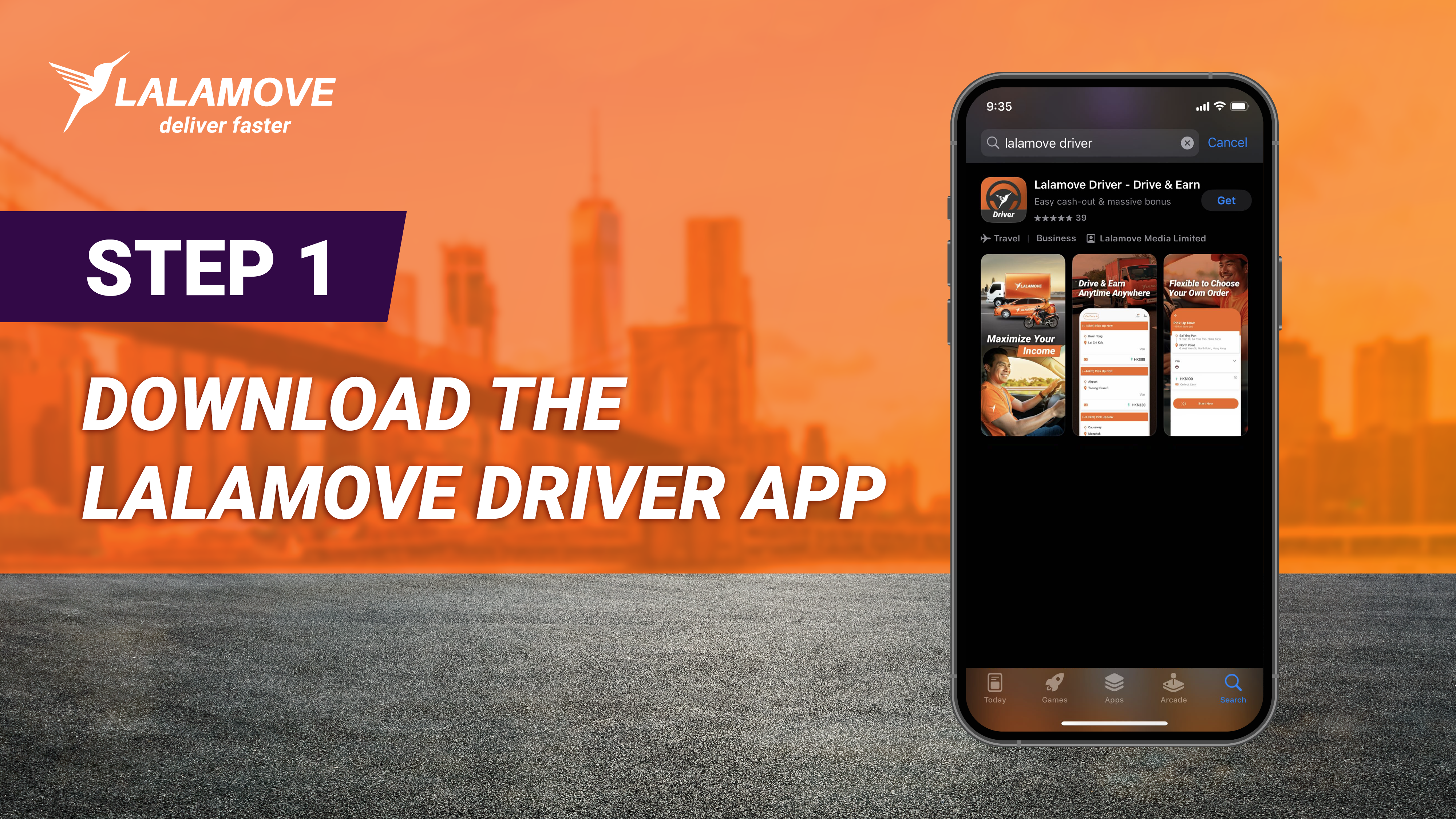
Step 1: Download the Lalamove Driver App
The Driver Partner registration process is fully managed through the Lalamove Driver App. Download the app from the App Store or from Google Play.
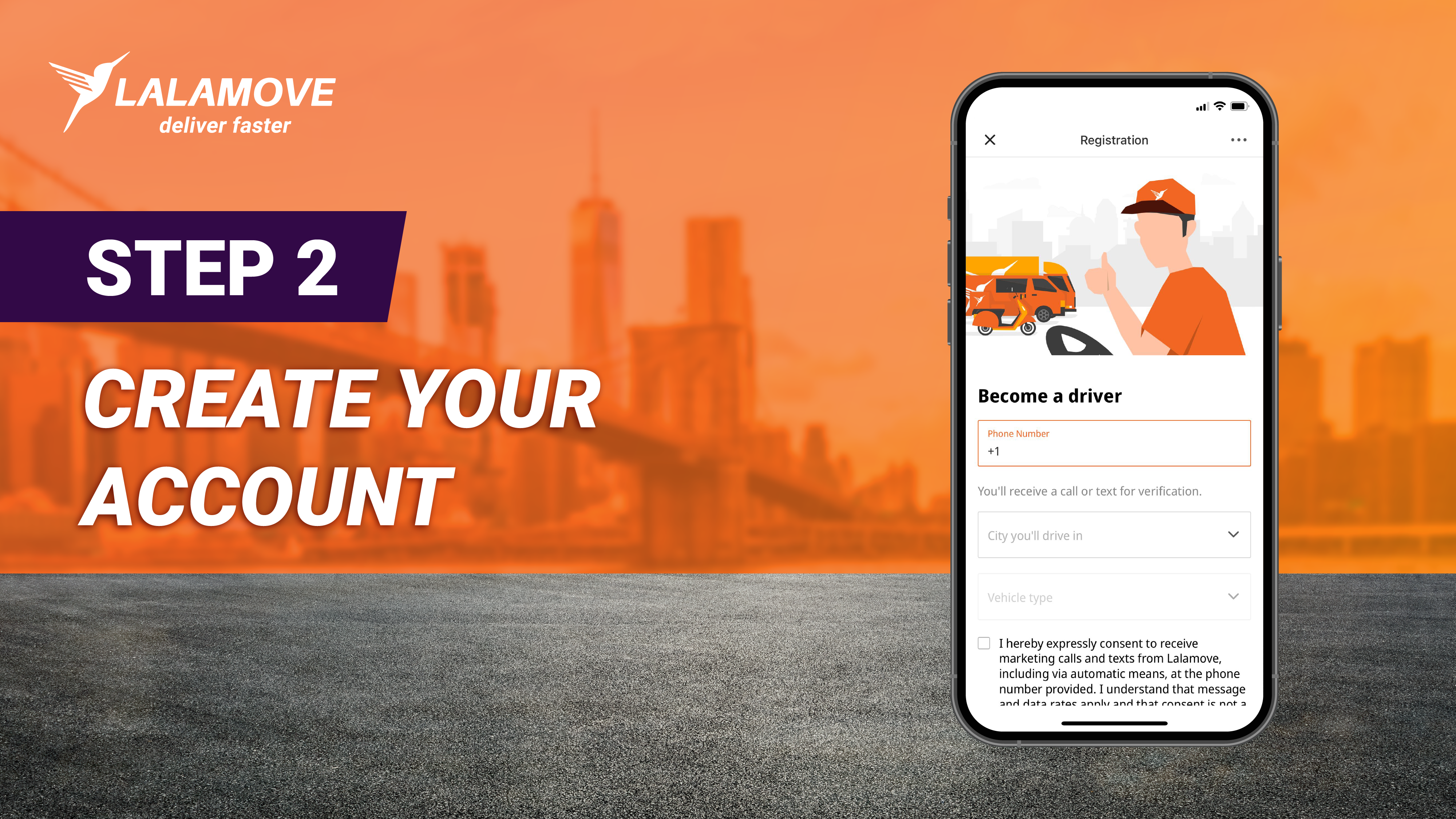
Step 2: Create Your Account
To set up your account, a one-time password will be sent to your phone. Afterwards, you can enter your personal information, like your name and email. If you have a referral code, you can add it at this step to get rewarded.
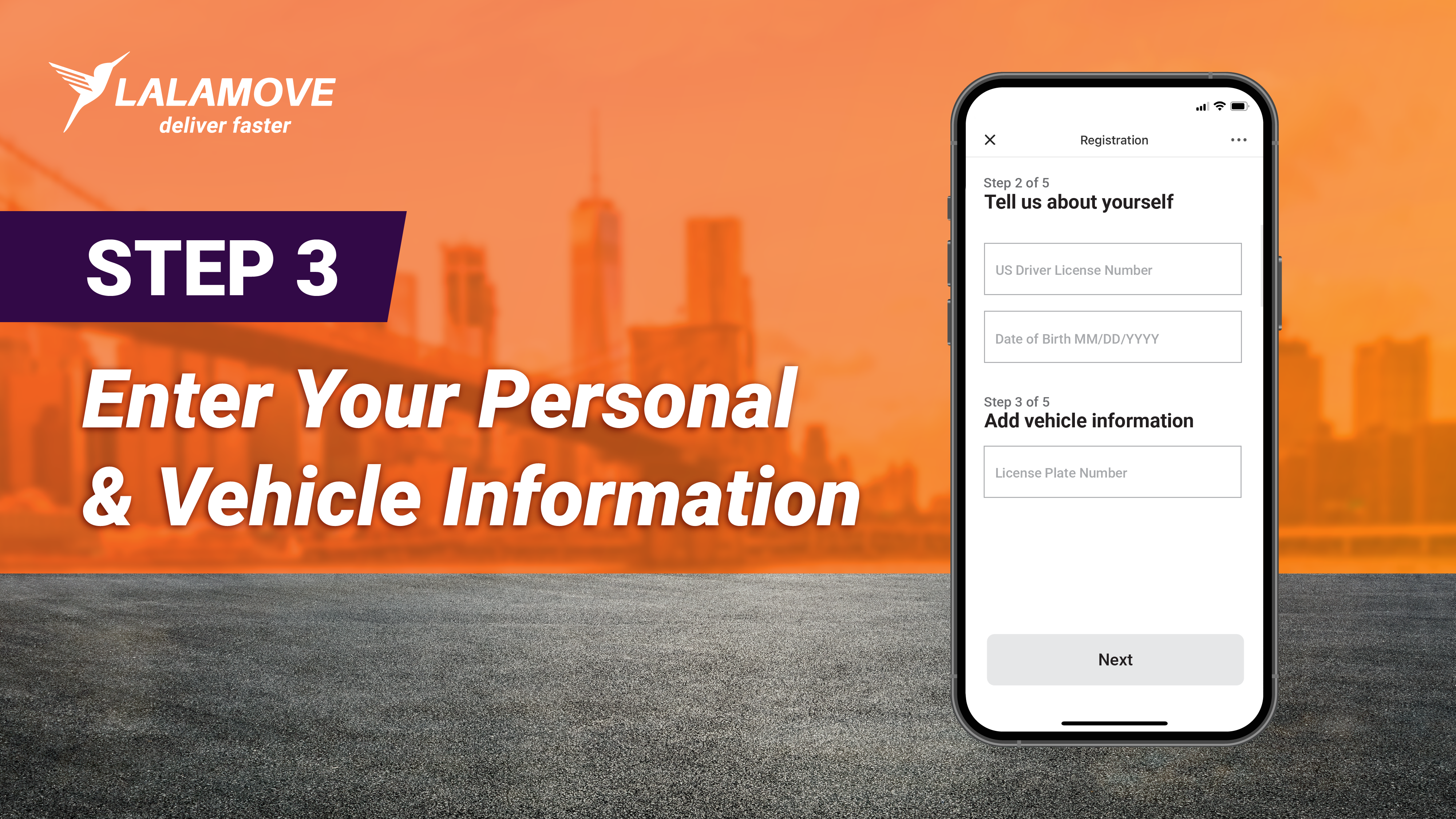
Step 3: Enter Your Personal & Vehicle Information
Next, you will need to:
-
Fill in your personal information, including your US Driver’s license number and date of birth
-
Add your vehicle information, like your license plate number
Step 4: Take a Selfie and Submit Your Documents
For the this step, you’ll need to upload clear pictures of your:
-
US Driver’s License (front and back)
-
Auto Insurance
-
Vehicle Registration
-
Vehicle Photo (with current license plate)
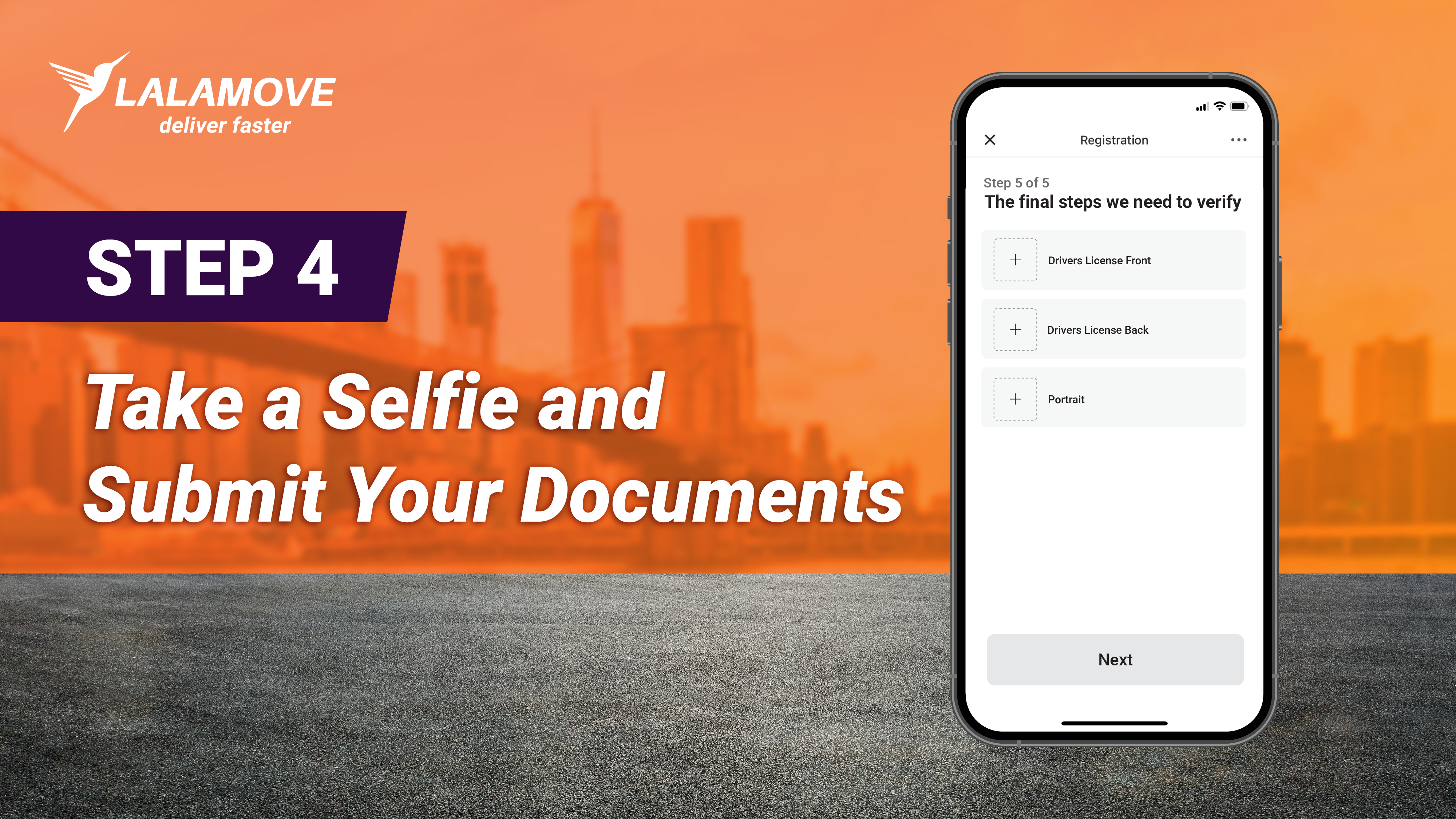
To ensure the registration process is as swift as possible, make sure that:
-
Every image is clear
-
All documents are valid (non-expired)
-
Every document matches the registered vehicle
-
The vehicle photo shows the license plate
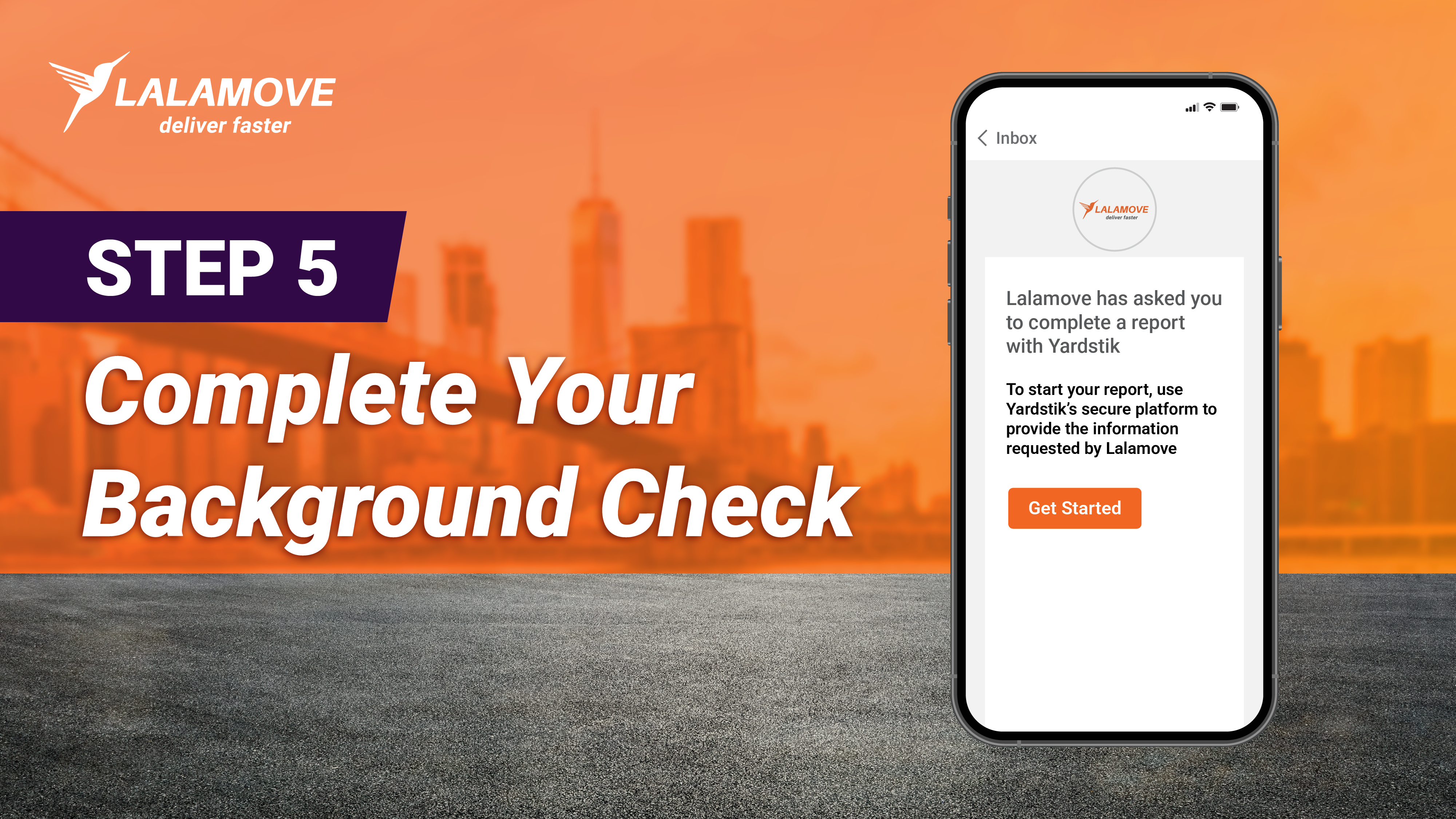
Step 5: Complete Your Background Check
Next, you’ll receive an email from Yardstik to complete your background check. Yardstik is a secure background screening platform that Lalamove partners with. Just submit your information on Yardstik’s platform.
Step 6: Wait for Verification
You’re done! Now that all your information and documents are submitted, your application will go through Lalamove’s verification process.
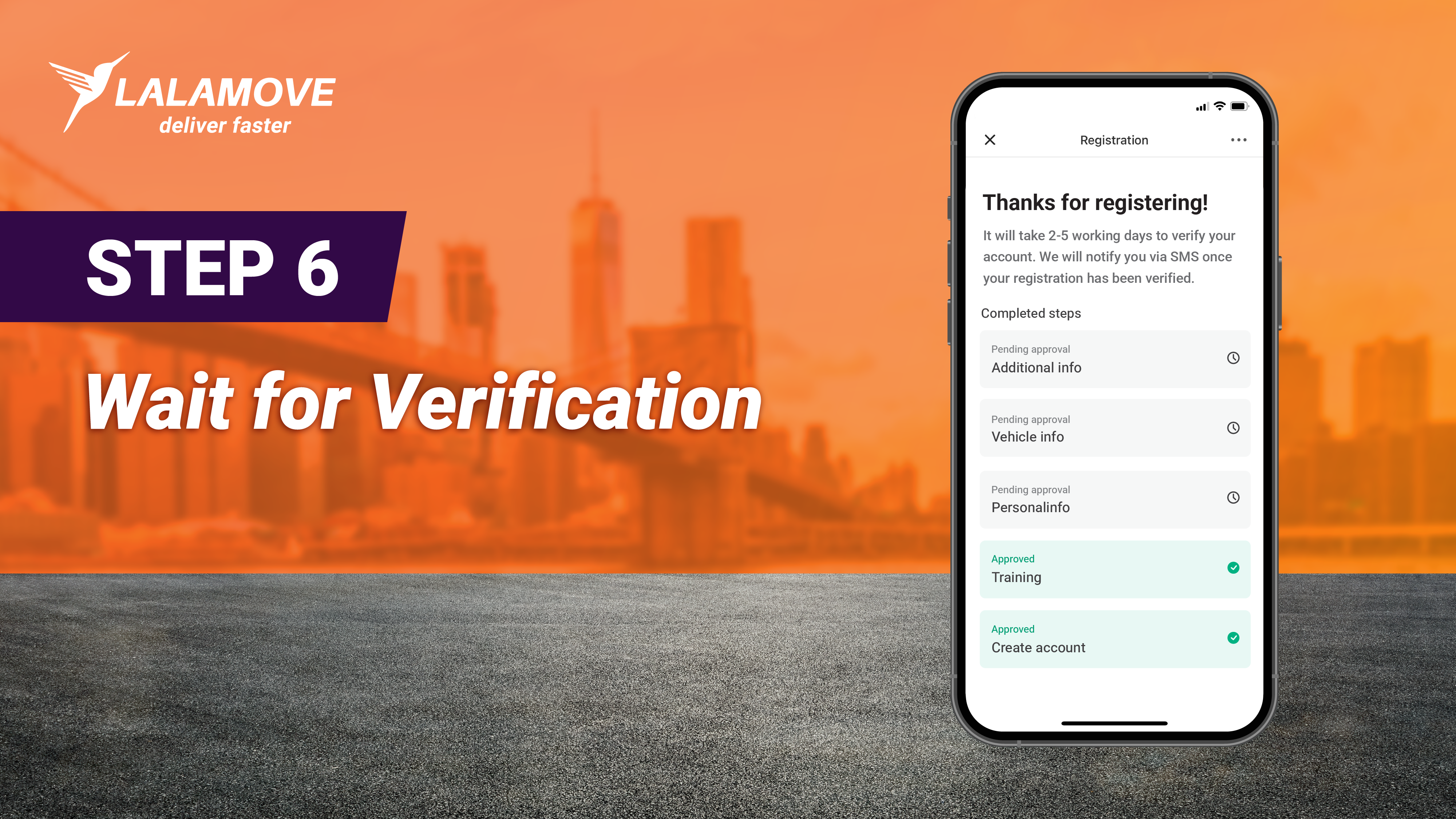
Typically, the verification process takes two to five business days. You’ll receive a text message and notification from the Lalamove Driver app once your account has been reviewed and activated.
What’s Next?
After the verification process, please log into the Driver app to add your payment details. In the Settings tab, enter your Routing Number, Account Number, and Account Type (Checking or Savings). Be sure to double check that your payment details are accurate.
Driver Partners will attend a virtual orientation led by Lalamove’s Driver Operations team. You’ll learn how to accept orders, the delivery process, and tips for making every delivery successful.
Then you’ll be ready to accept orders!
Ready to Become a Delivery Partner?
You’re just six easy steps away from becoming a Lalamove Delivery Partner and earning extra income that fits your lifestyle. Get started by downloading the Lalamove Driver App from the App Store or from Google Play and completing your registration today.
Frequently Asked Questions
Lalamove Driver Partners have the flexibility to take on as many or as few orders as they want at any time of the day.
Typically, the approval process takes two to five business days.
Currently, five vehicle types are accepted to drive with Lalamove: sedans, SUVs, pickup trucks, cargo vans, and sprinter vans.