



You've just accepted a delivery, but before you head to the pickup location, take another quick look at the order details to ensure a smooth delivery.
Double-check these five delivery details.
1. Check the pickup and drop-off addresses
Make sure you know where the order starts and ends.
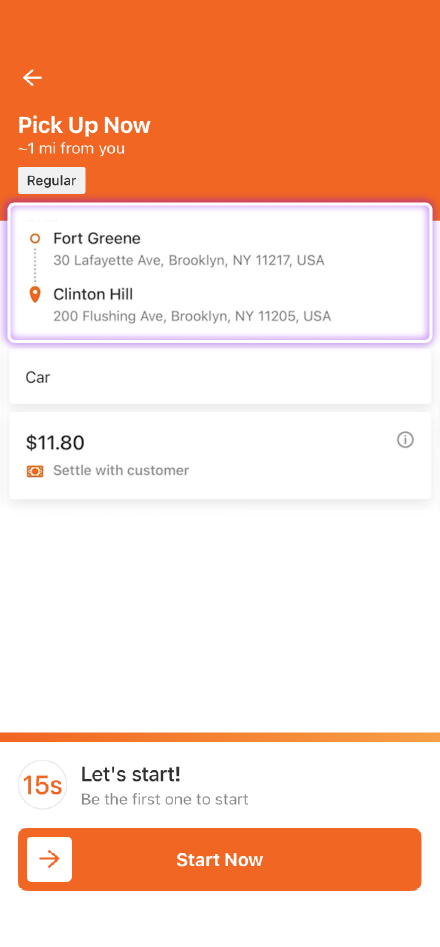
In the example above, the order shows:
-
Pickup address: Fort Greene, Brooklyn
-
Drop-off address: Clinton Hill, Brooklyn
2. Check the pickup time
The Driver App uses color-coded order types to help you identify when to arrive for a delivery:
-
Red: Immediate pickup
-
Yellow: Pickup later today
-
Blue: Future pickup
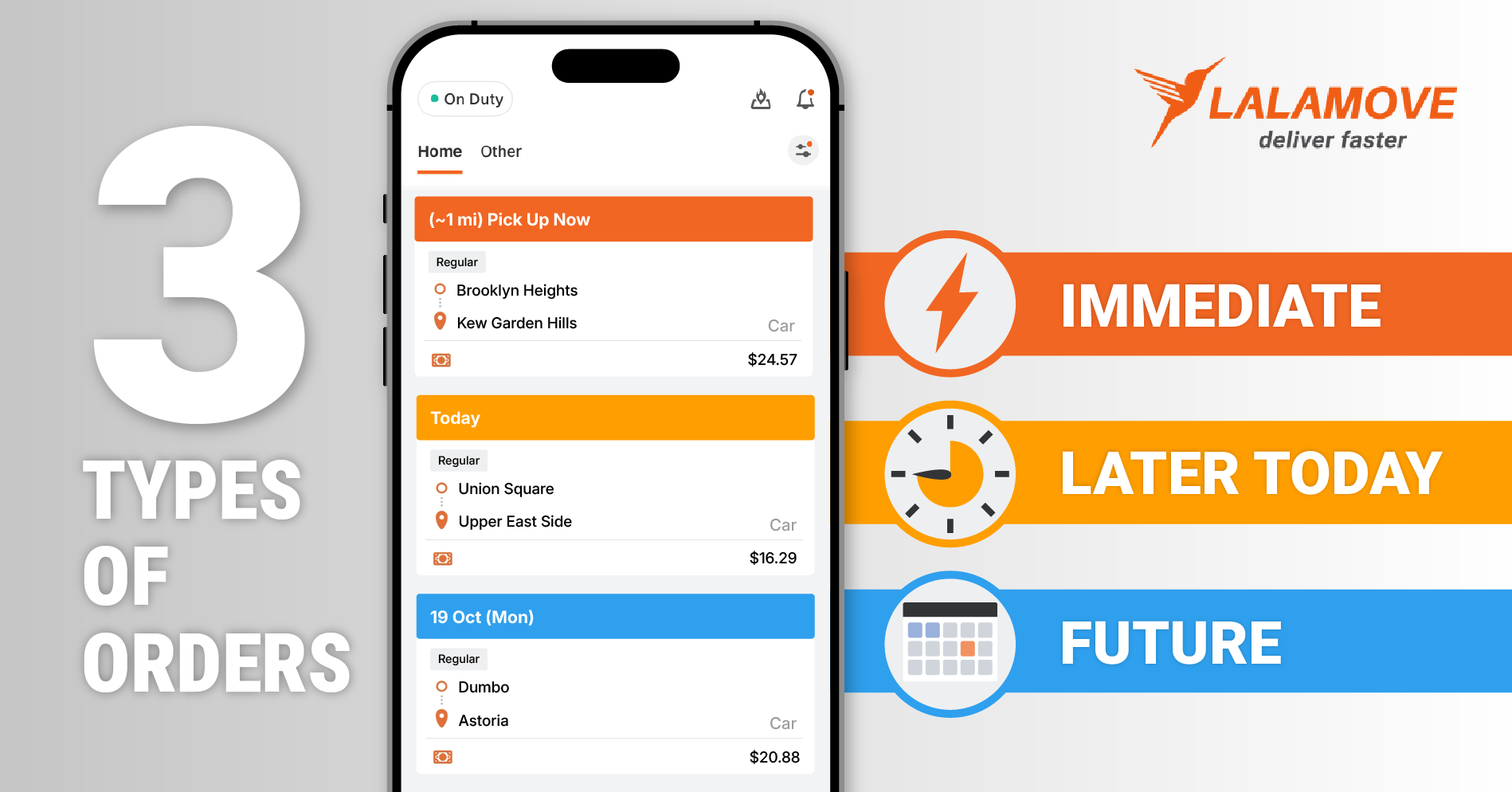
Delivery pickup times can range from immediate to later in the day or the following week, always double-check an order’s pickup date and time.
3. Check the order type
Lalamove has two order types: Regular and Pooling.
-
Regular orders must be completed before accepting another order.
-
Pooling lets you accept multiple orders at once, increasing your earnings while saving you time.*
4. Check the payment type
Customers can pay for deliveries using a credit card or cash. The payment type is noted in the order details.
-
Credit card payments state “received by credit.”
-
Cash payments state “settle with customer.”
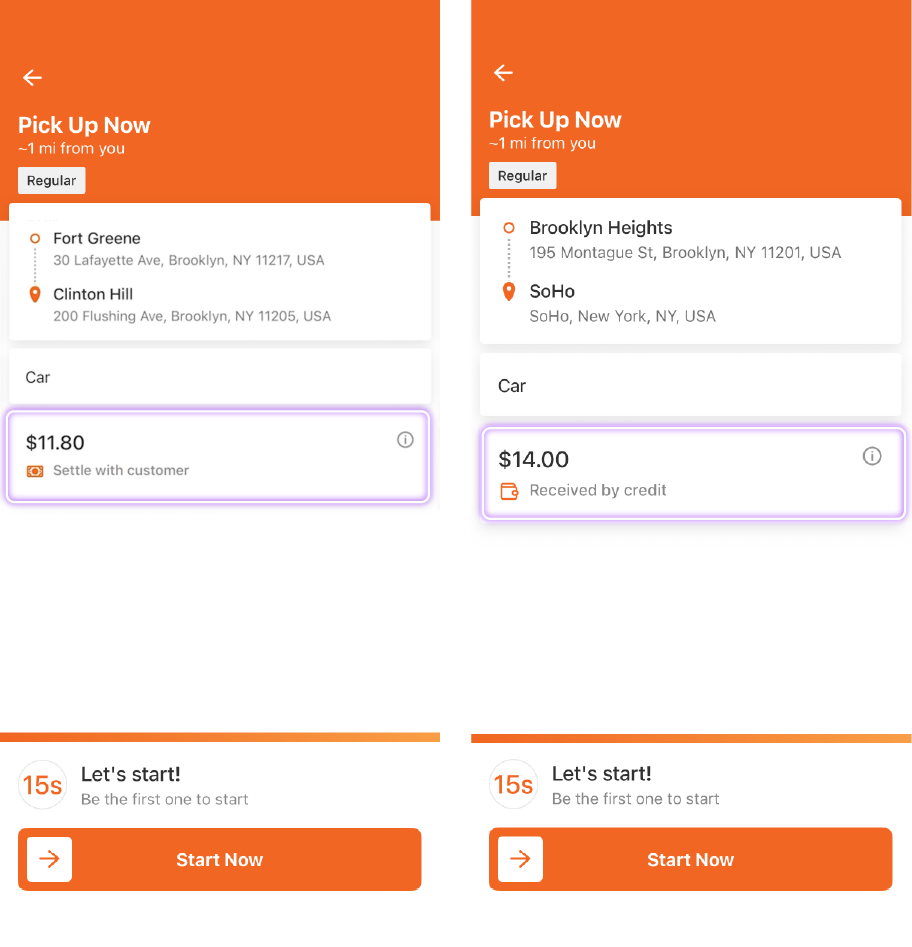
If you accept a delivery with a credit card payment, there are no extra steps. Once the order is complete, you’ll see the payment in the Wallet tab of the driver’s app.
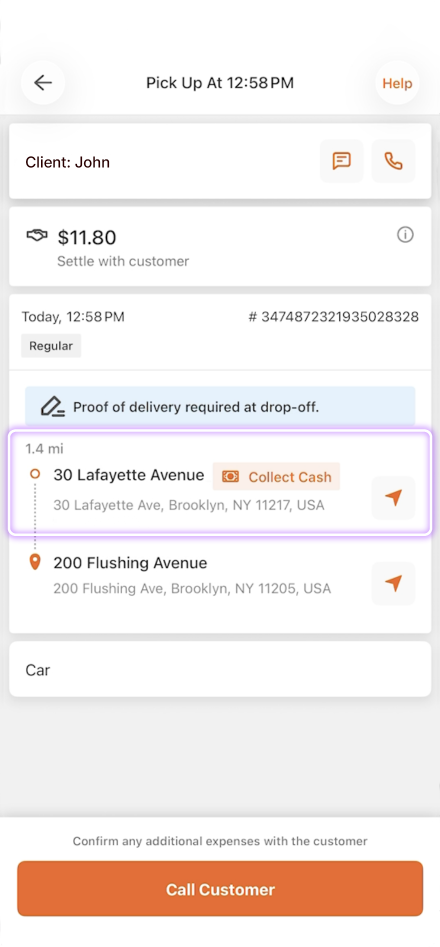
If you accept a delivery with a cash payment, check whether the customer will pay at the pickup or drop-off. You can tell who is paying because “Collect Cash” will be noted next to the pickup or drop-off address.
5. Check for special delivery instructions
Customers may also include special delivery instructions, including number of items to move, where to park, and what suite number to arrive at.
Have questions about an order?
If you’re ever unsure what to do for an order, reach out to the customer immediately to clear things up. The Driver app provides messaging and calling tools so you can easily contact the customer.
If the customer isn’t available, contact Lalamove’s Customer Support team in the app. To begin talking with the team, open the app, tap the side navigation, and select "Help Center."
*Currently, Pooling is only available in New York.
Frequently Asked Questions
Yes, if you see a scheduled order, you can accept it. Just remember to arrive at the scheduled pickup time.
You can reach Customer Service every day from 9am to 6pm EST.
Open the app, tap the side navigation, and select "Help Center" to begin chatting with Customer Service.
For any issues during an order, reach out to info@lalamove.us for help.