


Sending items across New York City is easy and affordable with Lalamove. We’ll show you how to create your user account in just a few simple steps so you can start sending items!
Check out our step-by-step registration guide.
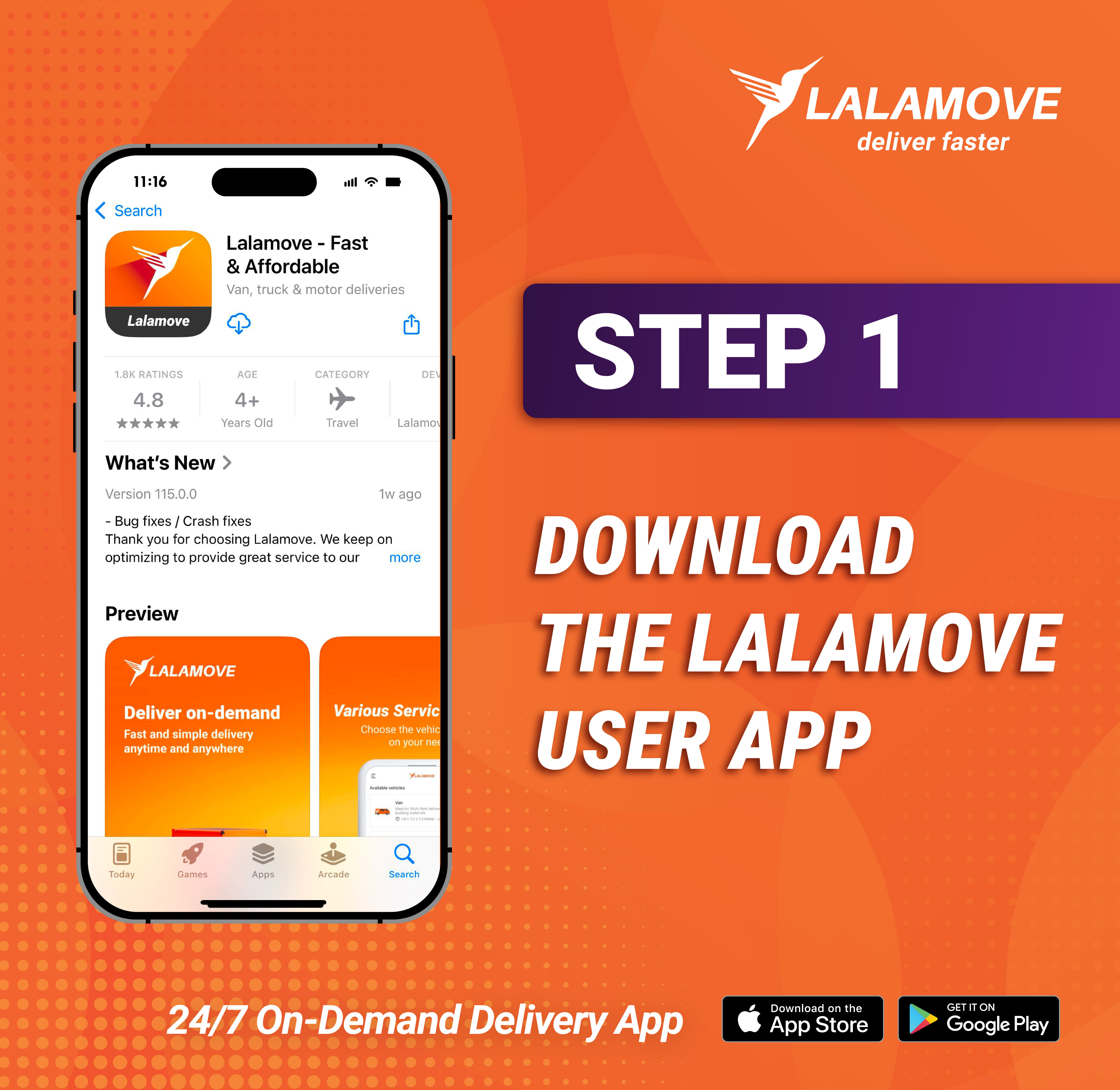
Step 1: Download the Lalamove User App
Head to the App Store or Google Play Store to download the Lalamove User App. Be sure to download the Lalamove User App, not the Driver App.
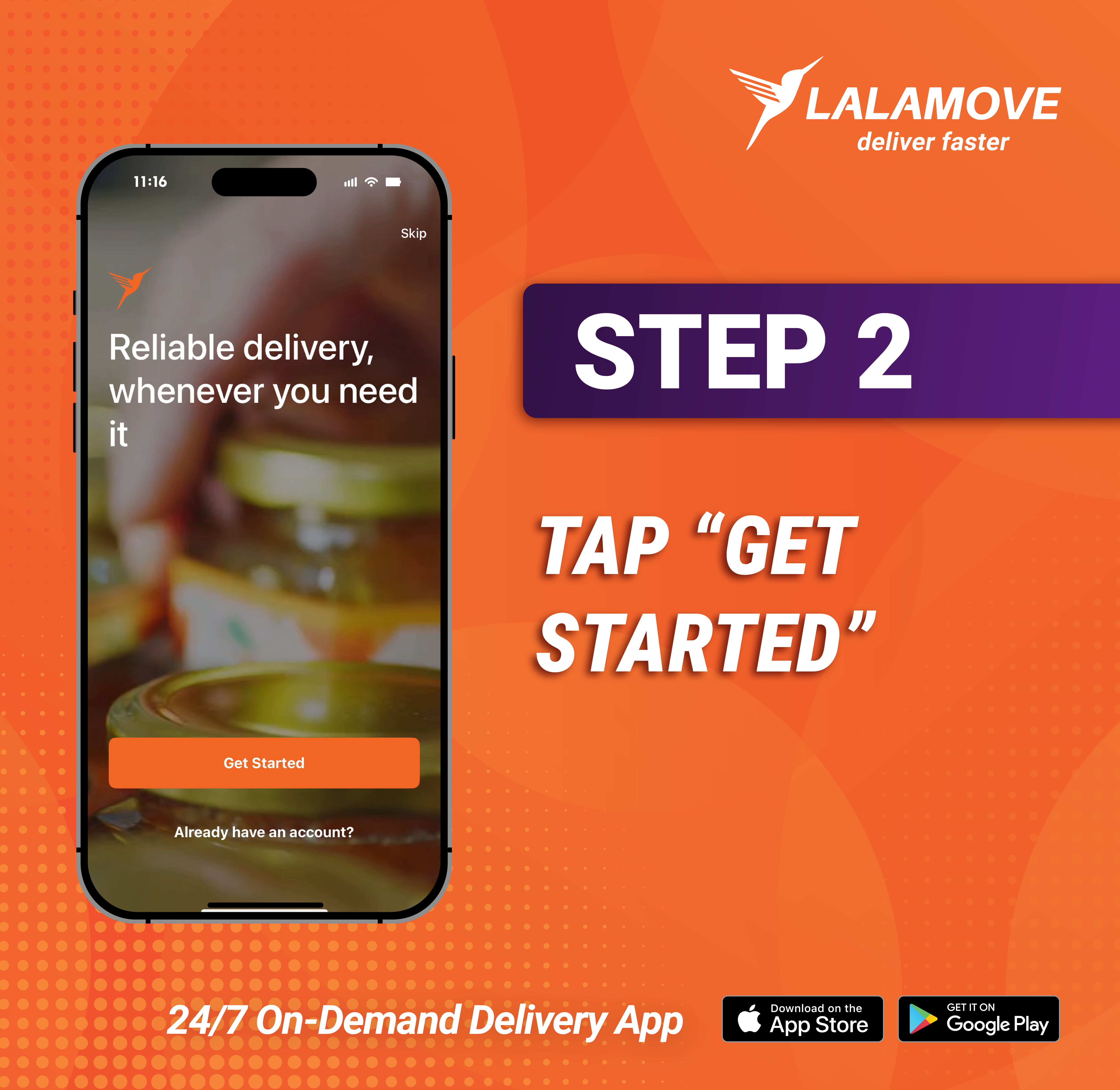
Step 2: Tap “Get Started”
Open the app and tap “Get Started” to begin your registration.
Enter the required fields:
-
Phone number
-
Email (optional)
-
Password
Then, tap “Sign Up for Free.”
Make sure to use a valid phone number and email address so the Lalamove team and our Driver Partners can keep you updated on your deliveries.
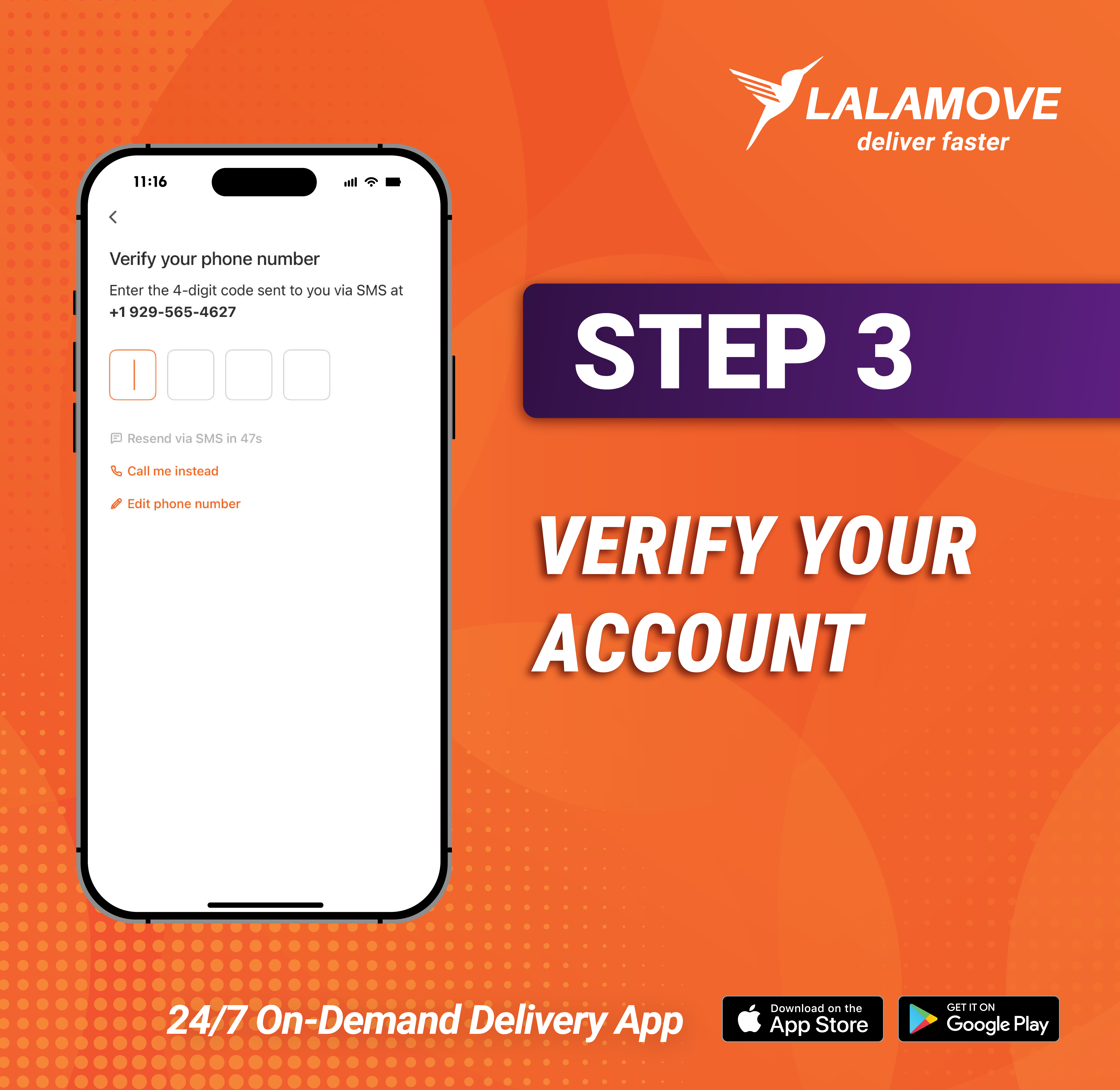
Step 3: Verify Your Account
A four-digit code will be sent to your phone to verify your account. Enter the code in the app to complete this step.
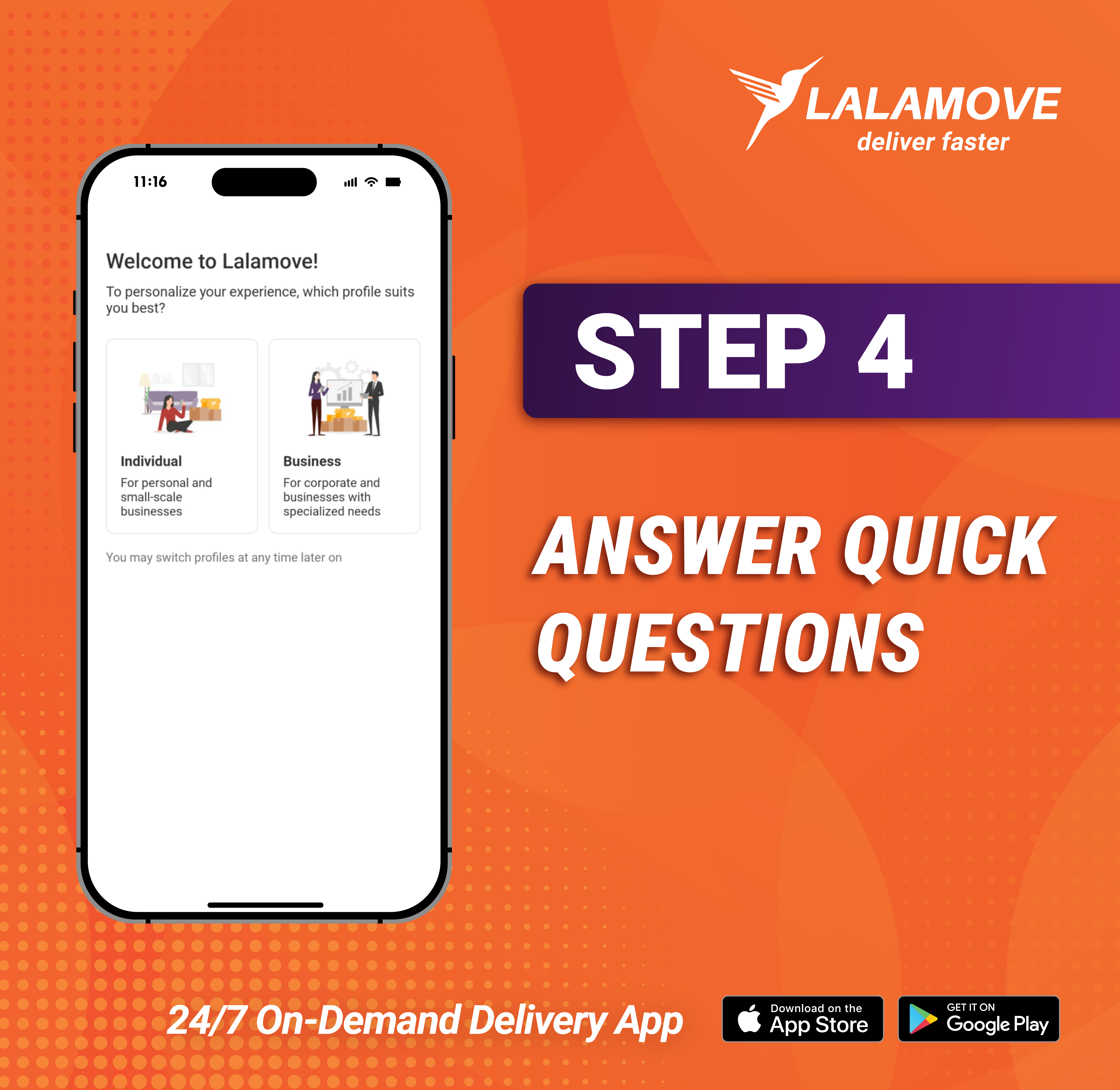
Step 4: Answer Quick Questions
You’re almost there! To personalize your in-app experience, you’ll need to select your account type. Choose between an Individual or Business account based on your delivery needs. Both accounts are completely free to make.
Next, select how you’ll use the Lalamove app. You can choose to send items for friends and family or for clients and customers. Whichever you choose, there are no extra delivery fees.
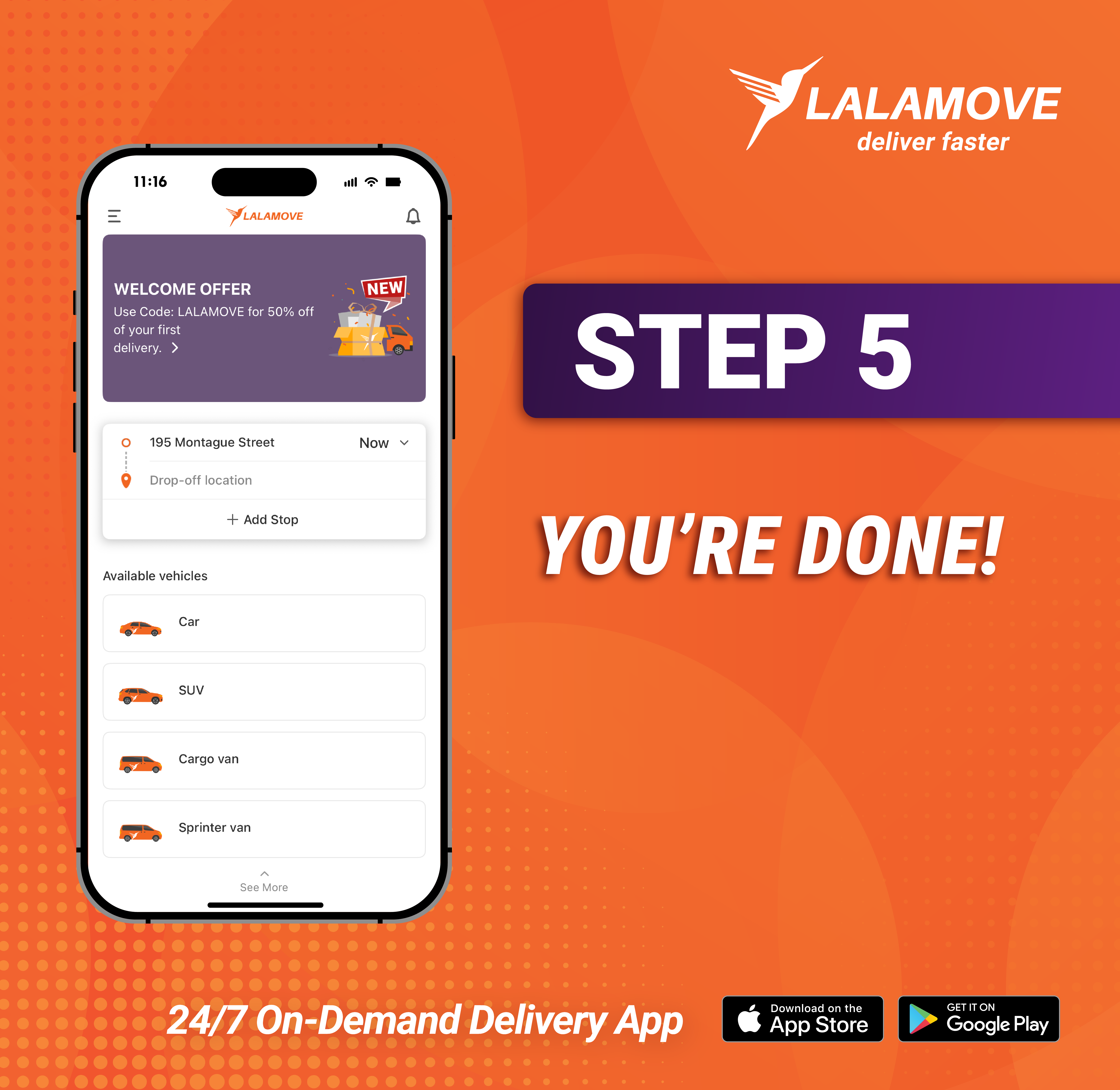
Step 5: You’re Done!
You’re registered and ready to start placing deliveries in the app! There’s plenty you can do in the app, so feel free to explore.
To help get you started, you can:
-
Book instant or schedule future deliveries
-
Check the “Wallet” tab for coupon codes
-
Message our Support Team in the “Help Center” tab
Need Help?
If you need any help creating your account or booking a delivery, you can reach out to Customer Support at info@lalamove.us or in the app by tapping the “Help Center” tab.
Download the Lalamove User App from the App Store or from the Google Play Store today!
Frequently Asked Questions
Yes, creating a Lalamove user account is completely free.
There are no extra fees for Individual or Business accounts.
For questions about registering as an Individual or Business, you can email info@lalamove.us.